Gmail that knows your contacts, included in Bovedo.
Works with Gmail and Google Workspace. With Bovedo for Gmail you see the contact and their deals beside the email, link what you send to the right deal, write from templates in the contact's language and find out when the email is opened. It comes with every Bovedo company.
What the extension does
Five things in Gmail, with the contacts you already have in Bovedo.
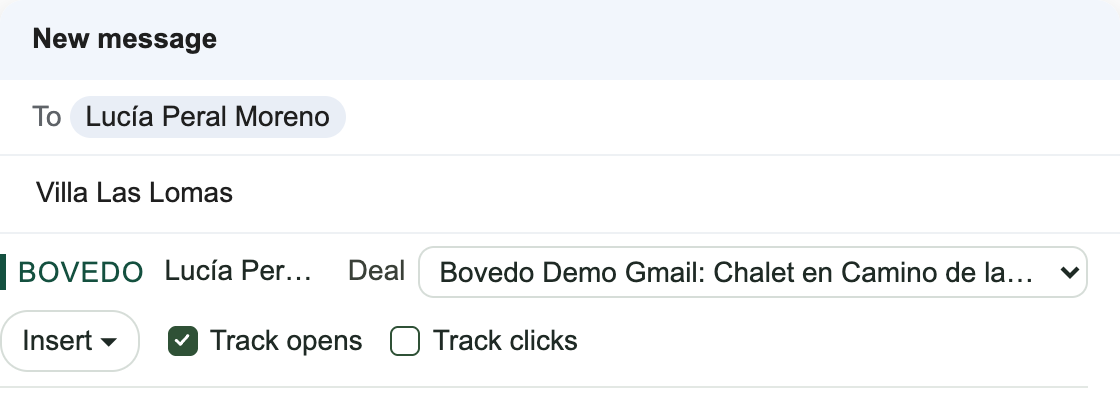
The contact and the deal beside the email
When you write to someone who is in Bovedo, the contact shows above the text. If they have open deals, you choose the deal, and the email and the replies are filed on it.
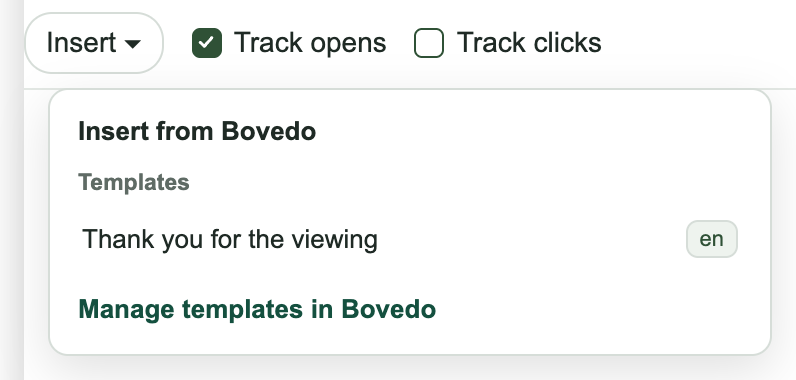
Templates in the contact's language
Insert a template from Bovedo, filled in for the recipient and in their language. You see the text and can change it before you send.
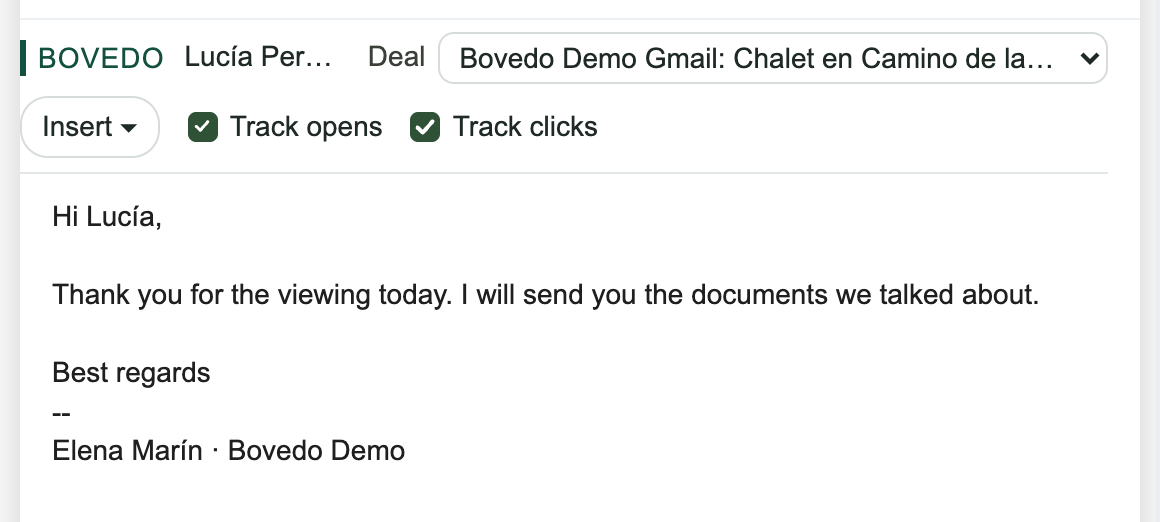
Open and click tracking
Choose for each email whether opens and clicks are tracked. Bovedo counts real opens and clicks, and keeps automatic loads, security scanners and your own opens apart.
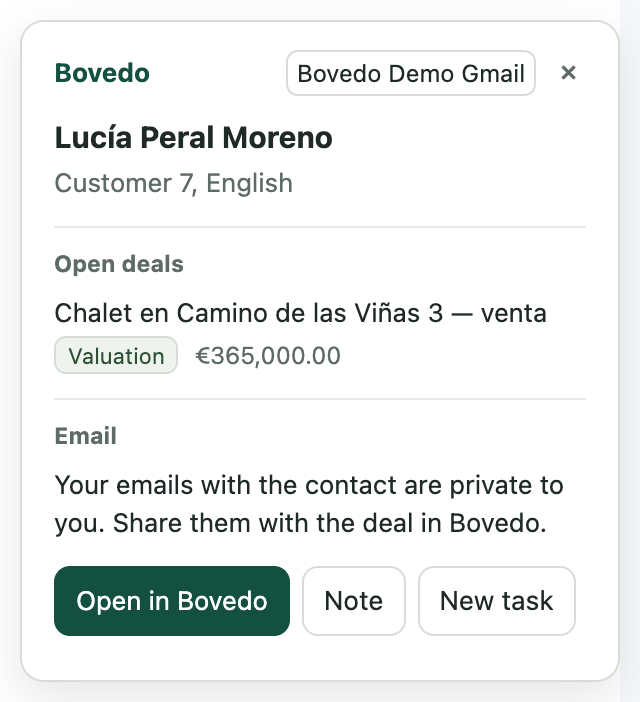
The contact when you read
Open an email and Bovedo shows who wrote it: the contact, open deals and the latest events. Add a note or a task without leaving Gmail.
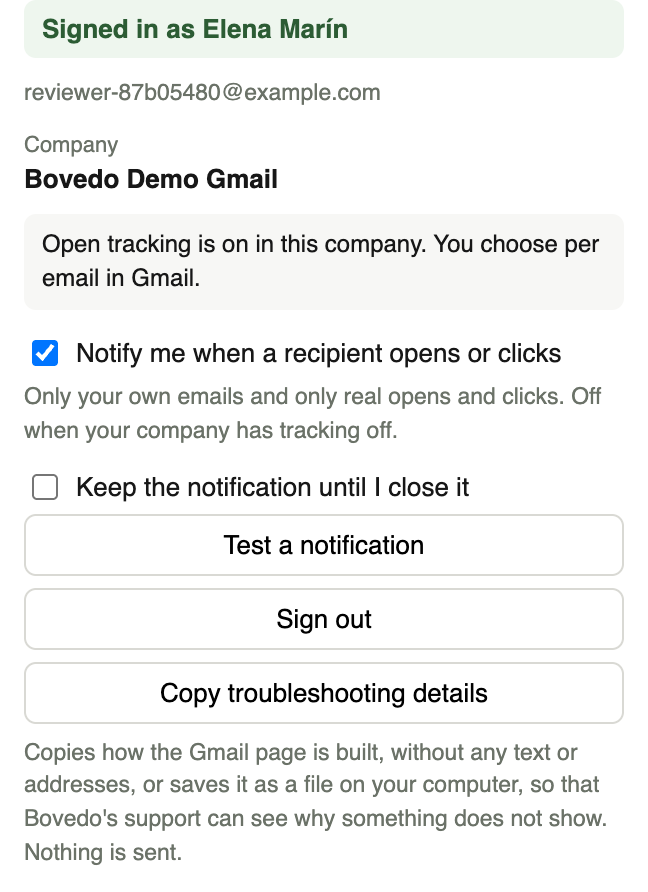
Notified when they open
Get a desktop notification when a recipient opens your email or clicks a link, the first time and again when they come back a day later. Only your own emails, never your own opens.


Your email, in plain words
Nothing is sent before you agree
The first time, the extension shows what it reads and what it sends. Nothing goes to Bovedo until you accept.
The text of your emails is never read
The extension works with addresses: who you write to and who wrote to you, and the subject of what you write. It never reads the text of an email you open, and never sends the text of the email you write.
Colleagues are never tracked
Emails to people in your own company are never tracked, and your own opens are never counted. A contact can be marked so that emails to them are never tracked.
Tracking only when your company turns it on
Tracking is off until an administrator switches it on for the company, and even then you choose for each email.
How Bovedo handles data from the extension is set out in the Bovedo Privacy Policy.
How to connect
Each user installs the extension in Chrome. An administrator connects the company's email once.
Bovedo for Gmail
- Install Bovedo for Gmail from the Chrome Web Store. With Enhanced Safe Browsing on, Chrome may warn that the extension is not trusted yet: this applies to new publishers for their first months, and you can continue.
- The first time, a page opens that describes what the extension reads and sends. Nothing goes to Bovedo until you tap Accept and continue.
- Click the Bovedo icon in the toolbar and tap Sign in with Bovedo. Sign in with the code Bovedo emails you and with two-factor, and choose the company.
- Tracking of opens and clicks works when the company's administrator has switched it on under Email, in the Open tracking box.
Your email in Bovedo
- The administrator connects the company's email under Email, in the Company email box: Bovedo gives the steps, which you can do yourself or send to your IT person. Every member then gets their emails to and from contacts in Bovedo.
- If the company's email is not connected, each member can forward their own emails to their address in Bovedo, shown on the same page.
See it in your own inbox
Tell us how your team works with email today and we will show you the extension in a short walkthrough.
Or email us directly at info@bovedo.es